
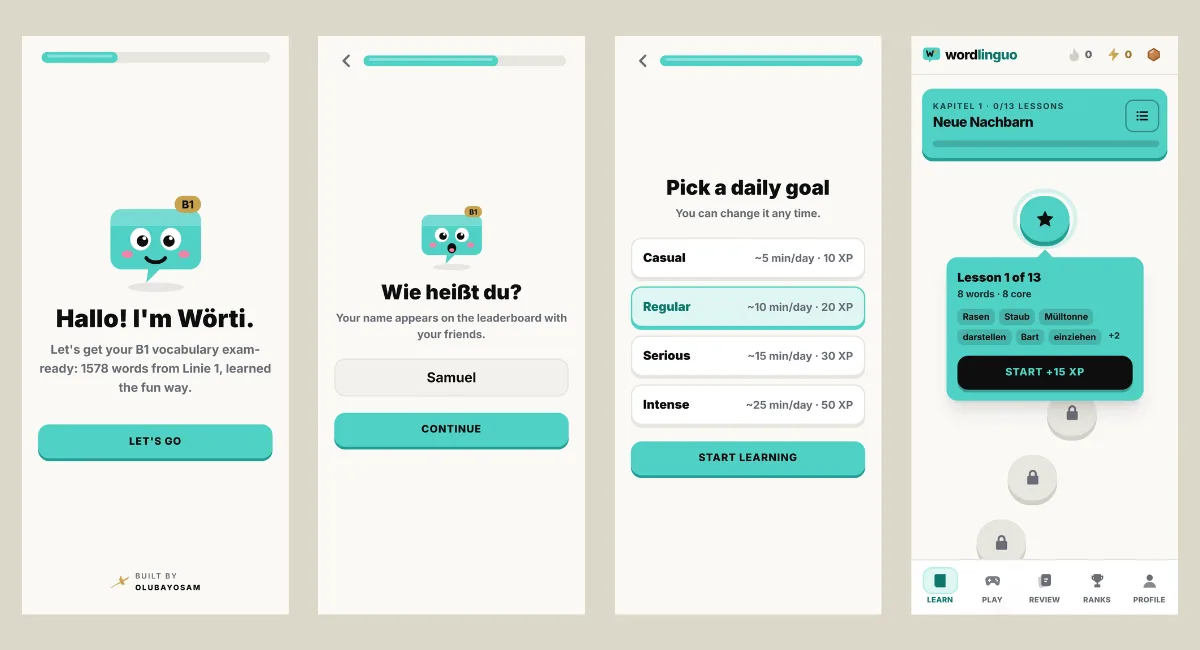
After six months of German classes, my teacher sent us two PDFs. Every word we were expected to know for the B1 exam, in one place. I scrolled through them, did the maths, and landed on roughly 1,500 words. The exam was a few weeks away.
I have learned plenty of technical vocabulary in my life, from impedance to interrupt service routine. None of it prepared me for a list of 1,500 German words, each one hiding an article I would probably get wrong.
This is the story of the German vocabulary app I built to deal with that list, how it works, and why twelve of my classmates now open it every day.
Two PDFs and a few weeks
The PDFs were good. They were also just lists. A list does not tell you which words you keep forgetting. It does not bring them back at the right moment, and it certainly does not care whether you studied yesterday.
I needed something that would push back.
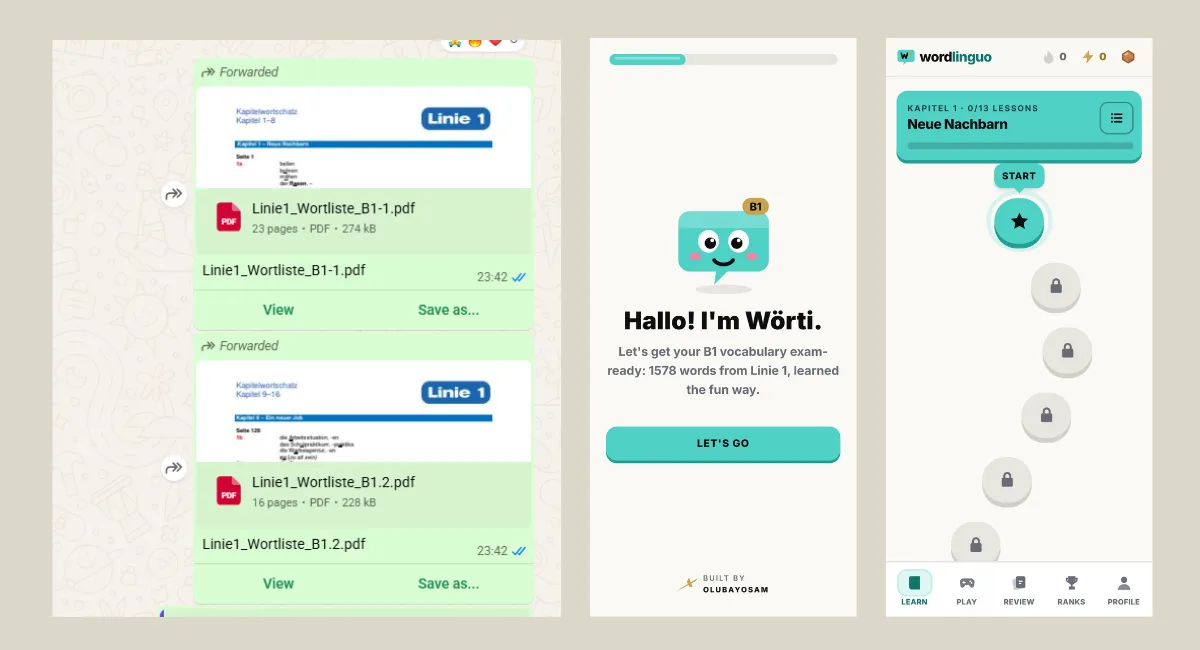
Why I Built a German Vocabulary App Instead of Downloading One
Every German vocabulary app I looked at had the same problem. It taught someone else’s words. That is fine for general learning, but the B1 exam does not care about a generic list. It cares about the vocabulary my teacher and my coursebook cover, in the order we met it.
So I needed an app built around exactly those words, with example sentences at my level. I am an engineer. When the tool I need does not exist, building it is usually faster than complaining about it.
Building it with Claude Code in two days
I built Wordlinguo with Claude Code in two days. I have put real time into earning my Claude Code certifications, and this was a clear case of that time paying off. Knowing how to work with the tool properly is what turned a vague idea for a German vocabulary app into a working product in two days.
The decisions were mine: how a lesson should flow, what counts as a weak word, what the app should feel like to use. The speed came from the tool.
That split is the part I find most interesting about working this way. The tool does not replace knowing what you want. It removes the long gap between knowing what you want and having it on your phone.
How the app teaches 1,500 words
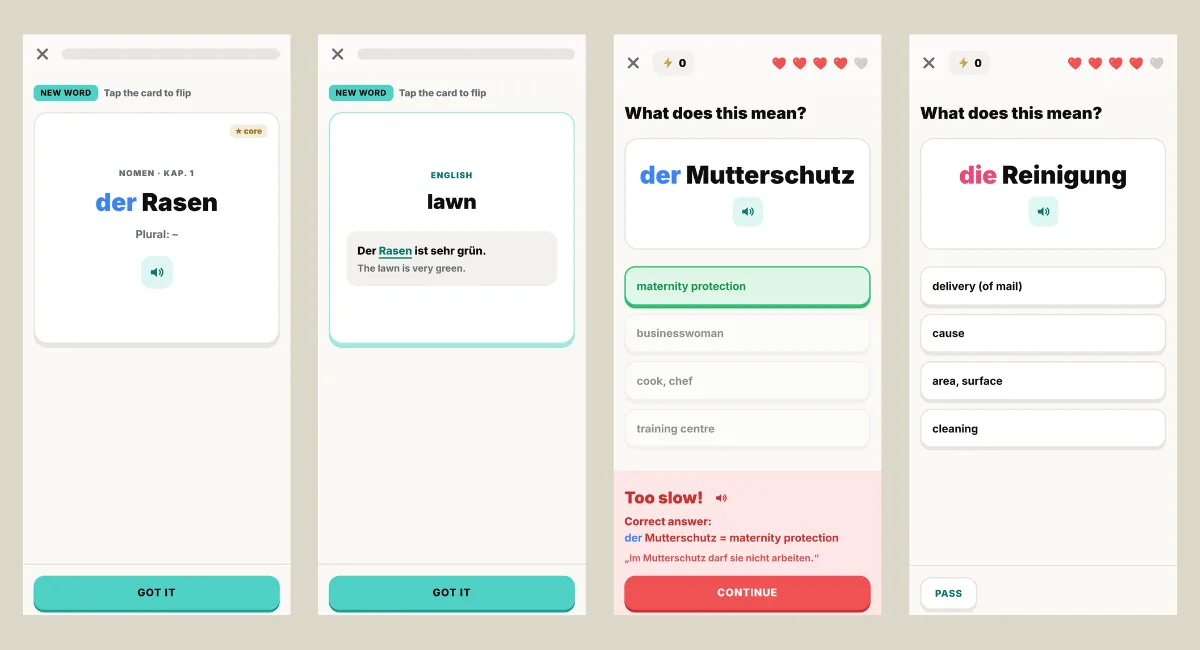
Wordlinguo, the German vocabulary app I built, holds 1,578 words, grouped into the 16 chapters of our coursebook, Linie 1 B1. Of those, 752 are the bold core words from the book and the rest are useful extras. Every word comes with its article, plural or verb forms, an English meaning and an example sentence.
The learning path breaks each chapter into lessons of eight words. Each lesson has three steps: a flashcard introduction, a quiz, and a short matching round. Words I get wrong go into a review pile, and the app brings them back using spaced repetition, so my time goes to the words I am actually losing. There are also swipe flashcards and a searchable word list for when I just want to look something up. Pronunciation uses the browser’s German speech, so I can hear each word.
Four games sit on top: German to English, English to German, a 90-second Match Madness round with combos, and Der Die Das, which drills articles. German articles are the part of the language where logic quietly leaves the room, so I gave them their own game.
Why I made studying feel like a game
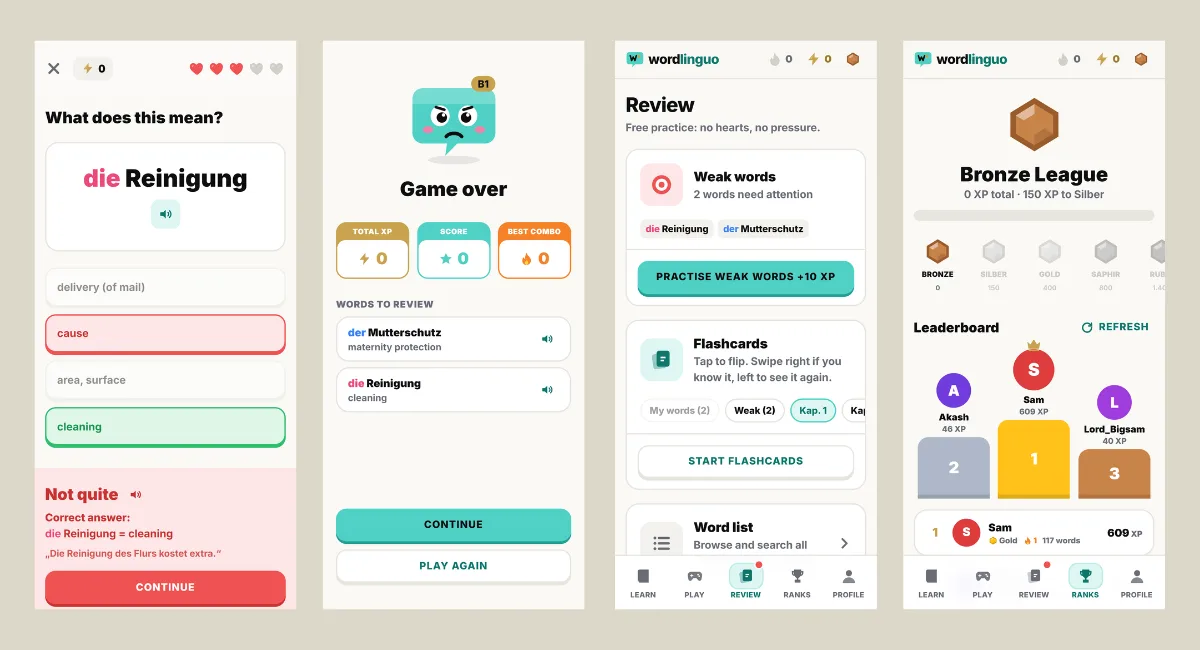
Memorising 1,500 words is not exciting, so I borrowed from the apps that make people open them every day. There are streaks, a daily XP goal and ten ranks from Bronze to Diamant. The learning path has no hearts, so mistakes there cost nothing. The games do have five hearts, which keeps them tense.
I do not think gamification is magic. It makes the next small step feel worth taking, and with a deadline a few weeks away, small steps are what I needed.
Twelve classmates and one shared deadline
My classmates and I are preparing for the exam together, so I shared the link. Twelve of them now use it to learn daily. The app has a shared leaderboard, so we can all see who actually practised. It turns studying alone into something closer to a group challenge, which is much easier to stick with than a PDF.
This is the part I did not plan for. I built the app for myself, and it became a small shared habit.
What is under the hood
For the engineers reading: there is no framework. The app is one JavaScript file, a separate file for the vocabulary data, and Tailwind CSS compiled into a single stylesheet. It is an installable progressive web app with a service worker. Progress is stored in the browser’s local storage, which means no accounts and no sign-up, and a copy-backup option moves progress between devices. The leaderboard is the only part that needs a server: a small PHP endpoint that stores scores in a JSON file on my own hosting.
The trade-off is that progress lives on the device unless you back it up. For a study tool that a few friends use for a few weeks, I am happy with that.
It also wears my OLUBAYOSAM colours, Circuit Cyan and Refined Gold, because if I build something, I want it to look like mine.
What I do not know yet
The exam is still ahead of us. I cannot tell you this German vocabulary app gets anyone through B1, and I would not trust a post that claimed it did before the results are in. What I can tell you is that building it made me go through every one of those words, and that I am no longer studying alone.
Try it yourself
If you are preparing for B1 with Linie 1, the app is free to use at olubayosamuel.com/projects/wordlinguo. If you build tools for yourself too, I would like to hear what you made.
I have never been comfortable waiting for the right tool to appear. If there is a problem in front of me, I would rather use technology to solve it. A German vocabulary app was just the problem I happened to have this month.
